

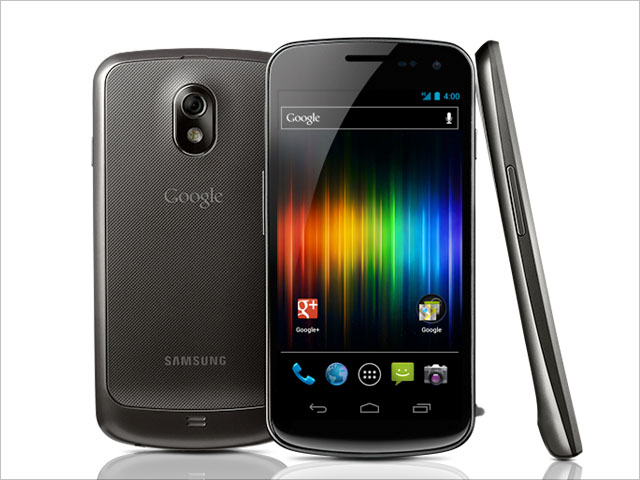
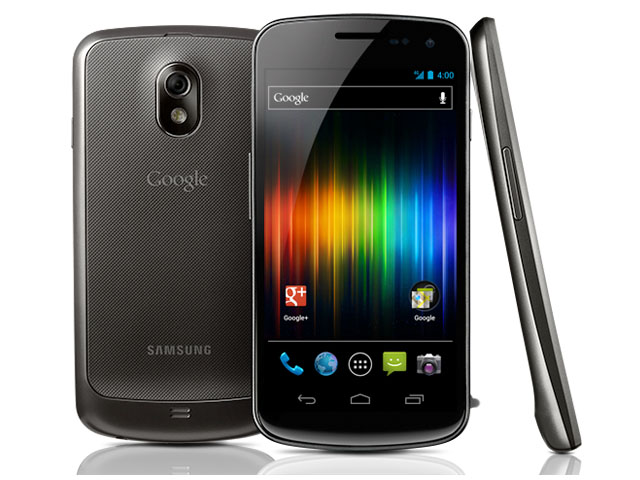
review Talk about launching at the eleventh hour! The Samsung Galaxy Nexus, arguably the most anticipated phone of 2011 after the iPhone 4S, is being released just in time for Christmas, and it’s the first smartphone that runs the new Android 4.0 (aka Ice Cream Sandwich) operating system.
The Galaxy Nexus has a lot of high-end features that’ll please power users, including a killer display, speedy performance and svelte form factor, but are these enough to detract from its notable shortcomings? Is it better than Samsung’s other flagship smartphone, the Galaxy S II? Read on to find out.
Design
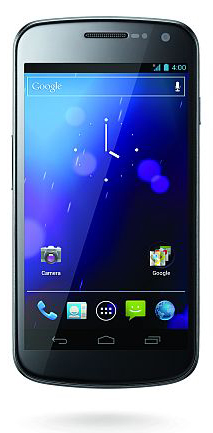
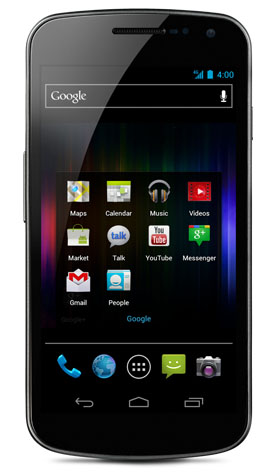
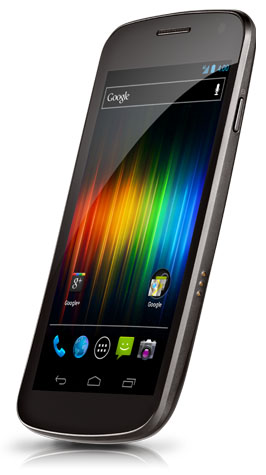
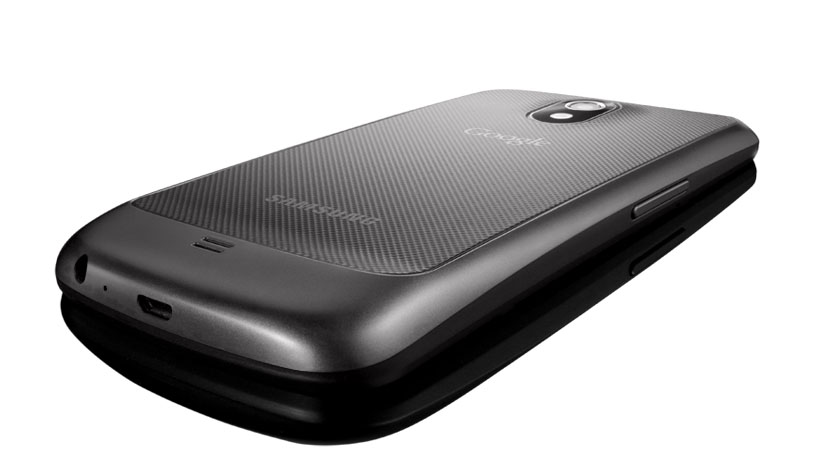
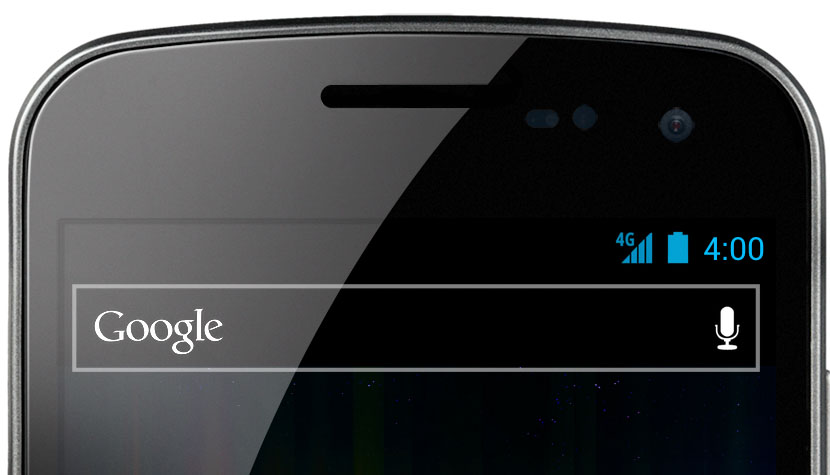
The Samsung Galaxy Nexus has some design similarities to the Galaxy S II, but it’s different enough that you can easily tell them apart. The Galaxy Nexus has rounder edges and a face that’s completely featureless save for the speaker grill and front-facing camera (the S II has the Samsung logo and home button as well) – there aren’t even any capacitive buttons on the bottom as you’d usually find on an Android smartphone, as Ice Cream Sandwich has replaced them with on-screen controls. The only extra frill is the indicator light below the screen, which pulses different colours depending on whether you have a missed call, new text message, or an app notification.
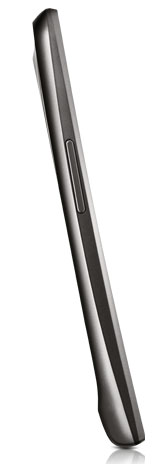
We like that the Galaxy Nexus isn’t gratuitously skinny or light like the Galaxy S II and the Motorola RAZR, nor is it a brick. Weighing a well-fed 135g and measuring 8.94mm at its thinnest point, the Galaxy Nexus strikes an excellent balance between portability and a solid feel – a perception that’s helped along by a form factor that sits extremely well in the hand. The Galaxy Nexus’ 4.65” display is the second largest after the HTC Sensation XL (which beats it by .05 of an inch), but the combination of an extremely slim screen bezel and the lack of capacitive buttons – allowing Samsung to fit more of the screen in vertically – means it’s not much wider than the Galaxy S II, and only a centimetre longer.
Features
The two headline features on the Samsung Galaxy Nexus are its superb display and its Android 4.0 operating system.We’ll start with the screen. The 4.65” screen size coupled with the 1280 x 720 pixel resolution (the highest resolution currently available on a smartphone) gives it a pixel density of 315 pixels per inch. The end result is text and icons that look extremely smooth and detailed – much more so than on qHD resolution devices like the Motorola RAZR and HTC Sensation.
It doesn’t beat the iPhone 4/4S however, which has a 329ppi, and you can see the difference in text-heavy apps like Amazon Kindle, with some fuzziness still visible (albeit only if you look very closely) on the Galaxy Nexus that you don’t see on the iPhone 4/4S. Still, the extra resolution you get on the Galaxy Nexus is a worthy trade; viewing the same book on both smartphones, the Galaxy Nexus displayed 1-2 words more per line, which equals around nine more lines of text you can view on the screen before turning the page.
The Galaxy Nexus also uses Super AMOLED HD display with a pentile matrix panel, the latter being an inferior technology to full RGB colour (used in the Galaxy S II).. This explains the fuzziness that’s faintly visible in text compared to the iPhone 4/4S. Like other Super AMOLED displays, colours on the Galaxy Nexus are punchy and vibrant – an effect that’s pleasing to the eye, especially when you’re watching movies. Blacks are exceptionally deep, and whites are also whiter than both the Samsung Galaxy S II and iPhone 4S when viewing the screen head-on – as soon as you shift the screen in either direction, a bluish colour cast kicks in.
We won’t go into detail on the changes in Ice Cream Sandwich, but suffice to say that it’s extremely snappy on the Galaxy Nexus. Unlike other Samsung Android phones, there’s no TouchWIZ user interface in sight – this is strictly a Google experience device, with no replacement launchers or other vendor enhancements piled on top of the operating system. The on-screen controls (which mirror the existing controls in Honeycomb) work remarkably well and seem better-suited to the smartphone form factor as they’re far more obvious at the bottom of the screen. The multi-tasking panel is also a big improvement over Gingerbread’s icon-only app switcher, as it displays vertically scrollable thumbnails of running apps.
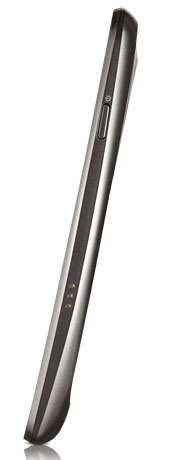
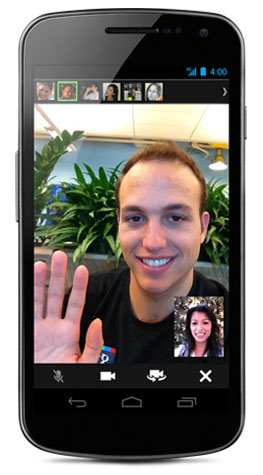
The rest of the Galaxy Nexus’ specs are fairly standard for a high-end smartphone. It has a dual-core 1.2GHz Texas Instruments OMAP4660 processor with 1GB of RAM, 16GB of internal storage (of which 13.3GB is available – sadly, there’s no microSD slot to add more memory), a five-megapixel rear camera and 1.3-megapixel front-facing camera, and built-in NFC that’s yet to be put to any use.
Update: The built-in NFC lets you exchange web pages, apps, contacts, maps and YouTube videos with other NFC-enabled devices using Ice Cream Sandwich’s ‘Android Beam’ feature. You simply need to have the relevant information active on the screen, and then bump the rear of the two devices together. This results in both devices vibrating and a ‘Touch to beam’ option on the screen; tapping the screen at that point causes the information to appear on the screen of the other device. It’s a fun feature, but it’s obviously limited by the dearth of NFC-enabled devices that are currently available. Sadly, photo sharing doesn’t appear to be an option.
We wish Samsung had included the same excellent 8-megapixel camera found on the Galaxy S II – alas, the Nexus’ camera is inferior and doesn’t capture the same level of detail that the Galaxy S II’s camera does. That said, the zero shutter lag is handy for firing off a quick succession of photos, and the panorama feature makes it easy to capture extra-wide images. The camera can also record Full HD 1920 x 1080p video, although you’ll be hampered by the Nexus’ limited, non-expandable storage and lack of HDMI output. Update: As Andrew point out in the comments, the Galaxy Nexus can output to HDMI using an optional MHL adapter, similar to the Samsung Galaxy S II.
Performance
For day-to-day use, the Galaxy Nexus feels extremely snappy – more so than any other Android smartphone we’ve used this year. Apps load quickly, scrolling and pinch to zoom for zooming in and out of websites is buttery smooth, and actions like moving between homescreens, pulling down the notification drawer, scrolling through apps and unlocking the lockscreen present no lag whatsoever. The only lags is when moving between portrait and landscape orientation (and vice versa) – this takes half a second longer than it does on the Galaxy S II.
The Galaxy Nexus’ originally shipped with a bug that caused the earpiece to fluctuate in volume or go on mute during a call; we didn’t experience this bug first-hand though, as our review unit automatically downloaded an over-the-air update that fixed the problem. But we found another bug that’s yet to be fixed – when the screen brightness is set to automatic (the default setting), the brightness levels can fluctuate quite suddenly, and unpredictably, for no apparent reason.
Call quality is crisp through the earpiece; it’s not the loudest we’ve heard, but it’s not far off, and you’ll have no problems hearing it in noisy environments. We wish we could say the same for the speakerphone – it’s a little too quiet for our liking, and isn’t all that useful for in-car use. The low speaker volume rears its ugly head for ringtones as well – we missed most of our calls while testing the Galaxy Nexus simply because it wasn’t loud enough. Part of the problem is also the default ringtone, which is about as effective as a gentle whisper to inform you of incoming calls. Compared to the excellent speakers on the iPhone 4S and Galaxy S II, the Galaxy Nexus’ speaker output is about half as powerful.
When it comes to battery life, it’s all good news for the Galaxy Nexus. Not only does it come with a sizeable 1750mAh battery, but it’s replaceable as well – a change from the latest breed of smartphones that trade replaceable batteries for ultra-slim physiques. Best of all, the Galaxy Nexus has an above-average run-time for a dual-core, large-screened smartphone. It lasted for 28 hours in our battery run-down test, with usage consisting of two hours of screen-on time (half with Wi-Fi on, half with just 3G), 13 photos (no flash), an hour worth of phone calls, one Google account syncing in the background and regular email checking throughout the day.
As for the web browser, the Galaxy Nexus now has the fastest page rendering performance out of any mobile device we’ve tested. Rightware Browsermark returned a score of 96015, which is 8591 points better than the previous front-runner, the iPhone 4S, and 26276 points better than the highest-performing Android smartphone before this, the HTC Sensation XL. Amazingly, the Galaxy Nexus’ Browsermark score is almost twice as good as the Samsung Galaxy S II’s (55479).
Conclusion
There are lots of things we like about the Samsung Galaxy Nexus. It’s screen isn’t the biggest or the sharpest, nor does it have the highest pixels per inch, but altogether it’s the best smartphone screen we’ve seen this year. Ice Cream Sandwich is a big improvement over Gingerbread, and it looks especially sweet on the Nexus’ 720p display, while the performance and battery life are outstanding.
The Galaxy Nexus is close to perfect, making the shortcomings that it does have that much harder to swallow. In some ways, it’s superior to its stablemate the Galaxy S II, yet the older Samsung smartphone beats it with regards to expandable storage, HDMI output (Update: Although, as Andrew point out in the comments, the Galaxy Nexus can output to HDMI using an optional MHL adapter, similar to the Samsung Galaxy S II), USB OTG, the camera, external speaker and the superior Super AMOLED Plus screen (which has a lower resolution but is nevertheless sharper due to the RGB colour panel). For power users, we think the Samsung Galaxy S II is still the better buy.
Considering the 720p display and ability to record Full HD video, the Galaxy Nexus’ 13.3GB of available storage really isn’t enough to make the most of these features, and you may be better off waiting for the 32GB version that’s rumoured to drop sometime next year. If you need to buy a smartphone before the end of the year, however, the Galaxy Nexus is definitely worth considering if you’re happy to do without its missing features.
Delimiter is very grateful to MobiCity for lending us the review unit for this review. You can buy the Samsung Galaxy Nexus directly from MobiCity outright from $769. The Samsung Galaxy Nexus will also be available through Telstra, Optus and Vodafone on a range of 12- and 24-month plans.
Jenneth Orantia turned her back on a lucrative career in law to pursue her unhealthy obsession with consumer technology. She’s known for having at least half a dozen of the latest gadgets on her person at a time, and once won a bottle of Dom Perignon for typing 78WPM on a Pocket PC with a stylus.
Image credits: Samsung
Thanks, good review. Makes my choice a bit more difficult between S II and Galaxy Nexus. Can I ask if you found it strange using a phone where the headphone jack is at the bottom? That, plus the camera’s shortcomings and lack of storage, have me leaning towards the cheaper S II.
Go the S2 it’s still a solid phone and I don’t see why it wouldn’t be getting ICS at some stage.
The nexus line of phones have always been the reference model for devs for the OS version they are released on.
Great review…but PLEASE buy a dictionary b4 you publish your work. The phrase is in REGARD to NOT in REGARDS to…George Bush has gone – we don’t need to speak like him any more!!
Grammar nazi :)
LOL. Little known fact: most writers have terrible spelling and grammar. That’s what a sub-editor is for, but alas, there is no such person at Delimiter. With _regard_ to your comment, point taken.
It’s before not b4
Glass stones, houses etc.
A dictionary wouldn’t have helped, both REGARD and REGARDS are correctly speeled. ;)
Thanks Andrew. Doesn’t really make a difference (to me) where the headphone jack is, so long as it’s on the top or bottom – you can just as easily stick it in your pocket top down or bottom down. It’s when it’s located on the left or right-hand sides that it’s annoying.
I know what you mean re the Nexus vs the S II. Nexus has the larger, higher-res screen and Ice Cream Sandwich out of the box, while the S II has expandable memory, HDMI out and USB OTG (using optional adapters) a better camera and sharper RGB screen. The argument will be stacked even higher in the S II’s favour once the Ice Cream Sandwich update is available, which Samsung has confirmed is coming.
I’m looking forward to what the real next line of phones will be like. Seeing as how this would be a mid range phone in terms of ICS devices.
Bring on Tegra 3
+1
Jenneth
Nice review, although I’m yet to understand the need to introduce the subjective into what would otherwise be an excellent objective piece.
Do you (or Renai) have a sense as to what level of invasion the three carriers are likely make with bloatware ? The Nexus range is typically the least interfered with line of handsets, given their development reference history, and given the slim internal memory and lack of expansion, it would be great to have a sense of how much of the 13gb odd will be stolen by the carrier prior to delivery.
What was the bloatware situation with the MobiCity handset?
C!
I thought the Nexus line of phones has always been vanilla Android, without any carrier or manufacture flavouring added to it.
Oh man I hope telstra dont fill it with their Crapwear :(
Zero bloatware on the MobiCity unit. Samsung is holding their press launch tomorrow, so I’ll know whether the carrier versions will have any bloatware on them then.
No bloatware on the Optus or Telstra Galaxy Nexuses that I saw yesterday!
I have a question regarding size. I’ve been using my iPhone for 3ish years now and have got used to a small phone. Now I have held the GalaxyS2 and I cant use it functionally with one hand, how was this for you? Does the behemoth size of the phone negate the fact that it comes with awesome hardware and software?
I can answer this sort of.
I went from the HTC Legend which is a small’ish phone to the Galaxy s2. I had trouble for a week or 2 with the size difference. But now that I’ve gotten used to it I don’t have any issue now.
You know, I’ve gotten so used to 4.3″ smartphones that it feels “normal” in the hand for me, and I don’t find them wide at all – and I do not have large hands. If you’re going from an iPhone, then yes, it will feel too wide at first, but as PointZeroOne says, it’s something you can get used to. Now, phones with a 3.5″ screen feel too small to me!
Good review,
but… no browser benchmarks?
Ah yes! I will run it through Rightware Browsermark tomorrow if I get some time, definitely by Thursday I’ll post something up.
Thanks Jenneth!
Browsermark testing done! See new paragraph at the end of the performance section. The Galaxy Nexus smokes every other device when it comes to web browsing, even the iPhone 4S!
Awesome sounds good.
Though on: “Amazingly, the Galaxy Nexus’ Browsermark score is almost twice as good as the Samsung Galaxy S II’s (55479).” I think when other dual-core phone vendors start releasing ICS for their current crop of phones, a few more of them will pop up into “iPhone4S-beating” territory.
55k -> 96k looks pretty close to the kind of performance enhancement you get from single threaded to multithreaded performance.
Can you hear and feel when its on vibrate? I keep my phone on vibrate during work and would like it to be strong enough to feel even in my purse.
Yes, the vibrate function is good. I just did a handbag test then, and you can both feel and hear it vibrating against other things in the bag. It also makes an audible rattle while vibrating when it’s sitting on a flat surface.
This phone can output 1080p through its mhl port. Its what you probably are assuming is just its micro-usb port but its got a dual purpose. Buy a cable thats mhl to hdmi and your good. Theres also an accessory dock you can buy that plugs into an hdmi TV and allows you to throw your phone in it for convenient phone video watching.
The storage size may still be a limiting factor, but recording in higher than 720 be woth smartphone quality camera’s (any smartphone) has always seemed to me to be a bit pointless. Not going to get blu ray quality no matter the resolution, and its eating up space in the attempt.
“720p with”
Sorry typo
Thanks for pointing that out re the HDMI output, Andrew. The review has been updated accordingly.
I have a Nexus, a Galaxy S2, an iPhone 4S (and an iPhone 4) … what I really want is a handset that has the expandability of the S2, the OS of the Nexus and the ease of use of the 4S. Sadly, it doesn’t seem to be out there – so I keep trying new devices to find it! I seem to live in the worst 3G reception area in Melbourne, a factor that is always overlooked these days in reviews. Of the phones listed above, the 4S has marginially better reception in this dodgy area, followed by the Nexus, then the original iPhone 4 and Galaxy S2. If you ever need to test a phone for reception, come and visit us at the foor of the Dandenong Ranges.
I’ve had this for a couple of days now – after going from the HTC Sensation. The HTC Sensation does have a lot going for it as HTC have put some effort into providing as standard the commonly retrieved apps from the Market with their Sense skin (eg Torch, Facebook, decent Weather/Clock widget etc).
Anyway, I gave it a go – the first thing you notice (which the review doesn’t) is that it’s Google way or no way. For example, no Facebook contact integration.
I’ve found it crashing a few times too – a couple times a day. Screen just goes black and needs a battery out or hard button down power cycle. It seems to occur when there’s a change in the wireless settings (bluetooth, mobile or wifi). Doesn’t appear to be a physical issue as I’ve tried shaking it, inserting/uninserting the cable etc. There’s a fair mention of that on the forums but everyone says download ICS 4.0.3 – which isn’t available on the Telstra version (4.0.1).
On Telstra – it’s very discreet. No Telstra logos on boot up or on the home screen. If you want you can add the Telstra One app for data downloads (which I think is only fair that it’s included by default). from the list of available widgets. Although ICS does seem to have a nice data monitoring package built in.
Great review, I’m looking forward to getting it. Also, i just found out the Virgin Mobile Australia offers it as well.
A solution to the annoyances of the Nexus?
Buy a SGS II then flash CM9.
PROBLEMS SOLVED (unless you MUST have a 720p screen. :P)
Comments are closed.