

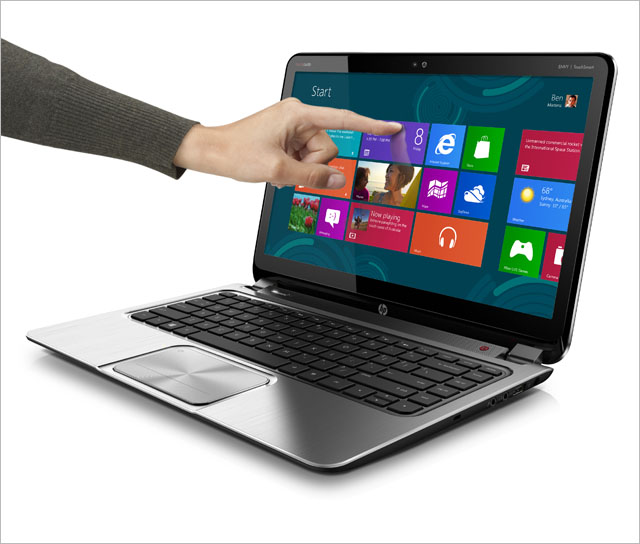
review It’s a familiar form factor for HP regulars, but it’s sporting an all-new touchscreen designed to take advantage of Microsoft’s brand new operating system, Windows 8. Can HP’s Envy TouchSmart Ultrabook 4 demonstrate strong integration between Redmond’s new software and HP’s hardware? Read on to find out.
Design
If we had to apply one word to HP’s Envy TouchSmart Ultrabook 4 (ETU4 in brief), it would be generic. There’s really nothing about this model’s overall design which hits you as being standout when you pick this model up for the first time, and it really feels like this is a laptop which could have been manufactured by any one of a handful of Microsoft OEMs over the past five years.
The cover of the ETU4 feels like it’s composed of hard black plastic, with an aluminium rim. It’s smart, professional and business-like without having the iconic business feel of Lenovo’s ThinkPad series. A medium-sized HP log in the bottom left corner lets you know where this particular model came from. Underneath, on the laptop’s bottom, sits an extensive series of grills for exhaust fans. The bottom of the ETU4 feels like it’s made of the same soft plastic which has become so popular in smartphones such as Nokia’s Lumia line. It’s grippy and svelte and we like it. On the ETU4’s bottom it’s pure black.
The laptop’s lid flips open fairly easily to reveal a brushed aluminium interior paired with a black chiclet keyboard. Overall, the interior of the ETU4 reminds us very much of Apple’s MacBook line, and we would not be surprised at all to hear of people mistaking the two laptops — at least from the front-on view — at a casual glance. Imitation is the sincerest form of flattery, as the saying goes — or did Apple originally steal this design from HP or someone else? It’s hard to know, although we suspect Apple had this one first.
The trackpad is decently sized, and there’s a speaker grill below the ETU4’s screen, along with the Beats Audio logo. On the laptop’s left-hand side you get an Ethernet port, which we’re a huge fan of, as they’re growing rarer on laptops these days, plus a HDMI port, two USB 3.0 ports and an SD card slot. There’s also a couple of lights to show the hard drive accessing and another LED which is on when the laptop’s on and cycling on and off when it’s off. On the laptop’s right-hand side sits its power input, which is modestly-sized, plus another USB port, headphone and microphone jacks and a small port for Kensington locks.
Now, despite explicitly carrying the ‘Ultrabook’ marketing label, we’d be very hard-pressed to fit the ETU4 into this category. It’s not thin — in fact, it’s quite thick at 2cm, and it’s not light, weighing in at 2.1kg. This feels like a traditional heavy laptop in every sense of the word. For reference, Apple’s 13″ MacBook Air is 800g lighter at 1.35kg — and even its 15″ MacBook Pro with its Retina Display is lighter at 2.02kg. This isn’t the sort of laptop you’re going to feel comfortable carrying around in your bag all day every day — it’s more of a fixed sort of machine.
Features
The key feature which the ETU4 offers over previous models is its touchscreen, built to take advantage of Windows 8. And it’s the real deal — it feels just like a tablet. You can swipe from the edge in to bring up Windows 8’s menus, you can pinch to zoom and scroll with a flick of the finger. It’s all here and it’s all touchscreen-y. Unfortunately it runs at a maximum resolution of 1366×768, which we consider a little low. But if you’re looking to dive in and test Windows 8 in a laptop form factor, you can definitely do this with the ETU4. Windows 8 performs pretty much as expected on this model.
The rest of the ETU4’s features are more or less along standard lines for a moderately well-featured laptop in late 2012. You get 4GB of RAM, an Intel Core i3 CPU running at 1.8GHz, a 5400RPM 300GB SATA hard disk, an Intel HD 4000 model graphics card, 802.11 W-Fi (b/g/n), Bluetooth and so on. Basically all of the features which you would expect from a mid-range laptop at this point are here, although none are top of the range. HP rates the battery life of the laptop at up to seven hours and fifteen minutes.
Performance
There’s probably three key aspects of the ETU4’s performance which you need to know about: Its touchscreen, its screen (yes, these are different things) and its battery life. Then there’s a few minor aspects of the laptop which we’d also like to discuss.
The first, and most important aspect of the ETU4’s performance relates to its hero feature, Windows 8 and its touchscreen. In this aspect, we have to give the laptop a huge tick mark. Windows 8 performs very, very well on this baby. The touchscreen is very responsive and highly satisfying to use. If you can click it with a mouse, you can touch it on the screen, and we really enjoyed using features such as pinch to zoom on the touchscreen that simply aren’t available in Windows 7 and on computers without touchscreens.
The ETU4’s touchscreen doesn’t feel like an add-on, although that’s fundamentally what it is; it suddenly feels like something that should have been there all along, and using it has changed our expectations about all screens forever. All screens — computer screens, TV screens, laptop screens, even dynamic photo displays; after using the ETU4 we just felt like everything should be able to be touched and manipulated. It’s a changed world that we’re living in with Windows 8, and the ETU represents a good implementation of Microsoft’s touchscreen vision.
Now for the downside.
The bad news is that the quality of the ETU4’s actual screen is not fantastic. We watched a few episodes of some of our favourite television shows on this model, and while it did the job, we have to say the colours weren’t fantastic and we didn’t like looking at the screen itself. The same can be said of just browsing the desktop and using Windows 8 on the ETU4; the screen looks faded and old-school. We just weren’t huge fans of it. Many people won’t notice these issues as they’re not discerning technology users, but we think it’s safe to say that even amongst those who aren’t technophiles, few would walk away with a hugely positive impression of the ETU4’s display.
In general we were pretty impressed with the ETU4’s battery life. We set a HD television show episode on repeat on the machine after it was fully charged, and it took most of the day for it to run out of juice. Even when it did die, it went into deep hibernation mode — we were able to revive it quickly by plugging it into the mains. HP says the ETU4 should get a little over seven hours of life, and we don’t have any reason to doubt that at this point.
In most other aspects of the ETU4’s performance, it felt like this was quite a mediocre laptop in general. It was heavy and bulky to carry around, the sound quality through its speakers — despite the Beats Audio sticker — was tinny and honestly, pretty bad, and its keyboard, while more than serviceable, wasn’t among the best we have used. The trackpad was similarly relatively responsive but not ideal, and it was quite difficult to press down on the bottom left-hand corner of the trackpad for a concrete physical button press.
On the plus side, the ETU4 didn’t get that warm during our testing, and its underlying performance is solid, with it being able to handle our computing needs easily. We didn’t test high-end gaming on the machine, but we anticipate it would have no problem playing many games at moderate graphics settings, given the strength of Intel’s built-in graphics chips recently. The ETU4 also wakes quickly, boots quickly, and was very responsive to peripherals being plugged in. Unfortunately HP has bundled some crapware with the ETU4 — such as the CyberLink photo and video suite and quite a few of its own apps. But the apps don’t get in your face and can be removed at need.
Conclusion
The HP Envy TouchSmart Ultrabook 4 has one standout feature: Its excellent and highly responsive touchscreen, which is well-integrated with Microsoft’s new Windows 8 operating system. However, when you examine every other area of this quite heavy and bulky laptop, not only is it hard to escape the conclusion that it’s not an ‘Ultrabook’ at all, but you’re left with the conclusion that its excellent touchscreen is just window dressing on what is otherwise a fairly mediocre machine, albeit with solid technical performance and battery life. One other factor is the price — for the AU$1,600 odd you’ll pay for this model, it should do a better job than this.
If this model was substantially lighter, had better screen and speaker quality and better overall build quality, it would be a model which we would recommend. As it stands, we’re sure there are better ways out there to jump on the Windows 8 bandwagon, and we recommend you investigate them.
Other reviews we liked of the HP Envy TouchSmart Ultrabook 4: PCWorld Australia, The Verge.
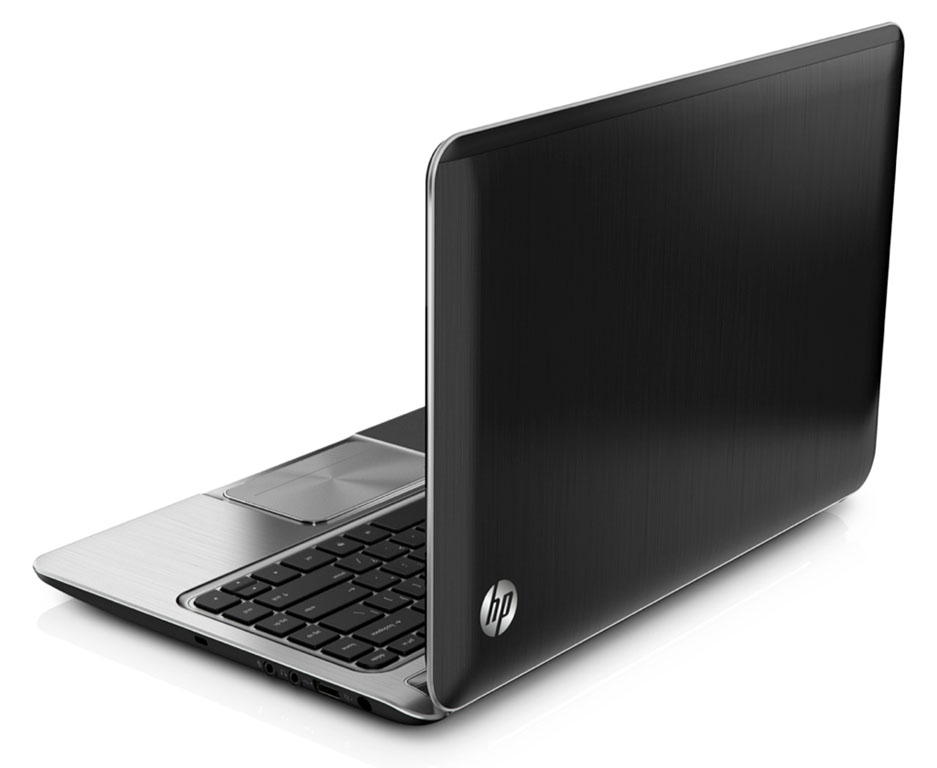
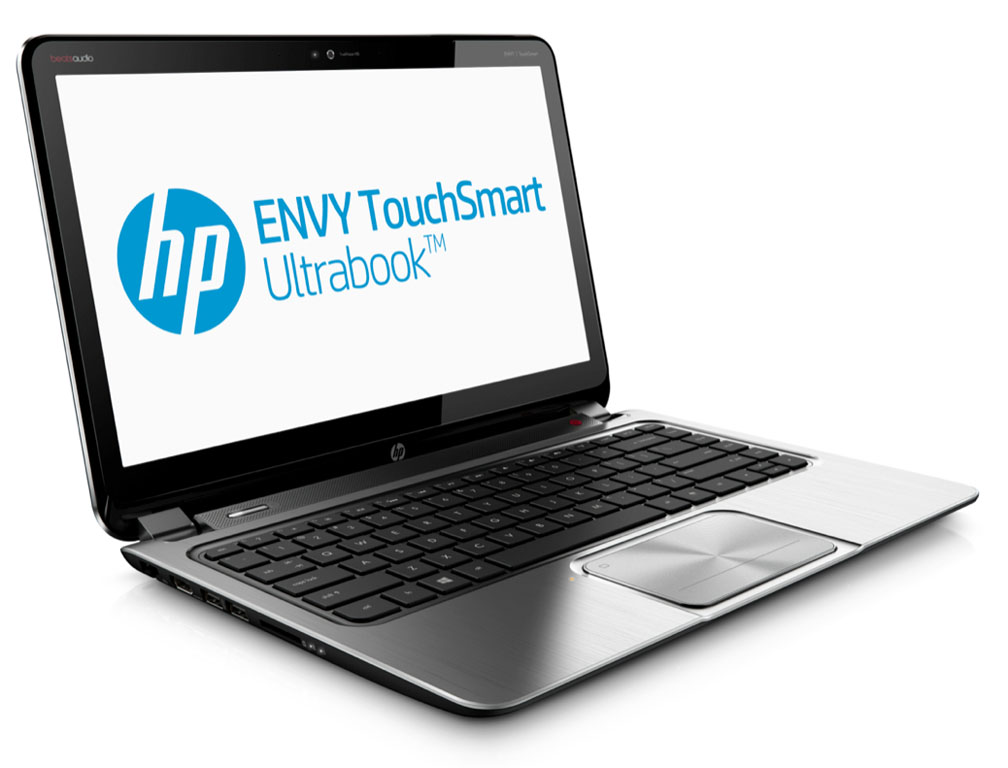
Image credit: HP
Waiting for a Asus UX51VZ review….
That puppy is a REAL competitor to the MacBook Pro Retina….
Might even convince me to go to the US and buy it…
*drools*
Crappy low-end screen… pass.
Comments are closed.