


review We’ll admit, we were excited about the first Xoom initially. The hype around Honeycomb had reeled us in, and we were keen to see what Motorola had concocted as (what we thought would be) the first real competitor to the Apple iPad. You all know how that particular story ends; the Xoom was a troubled tablet from the outset, and after a long string of disappointing devices in 2011, we’re still waiting on a true iPad killer, although the Asus Eee Pad Transformer Prime comes pretty close.
Motorola has had a decent stretch of time to learn from its mistakes and come up with a tablet that’s every bit as impressive as we thought the original one was going to be. Does Google’s newest subsidiary deliver? Read on to find out.
Design
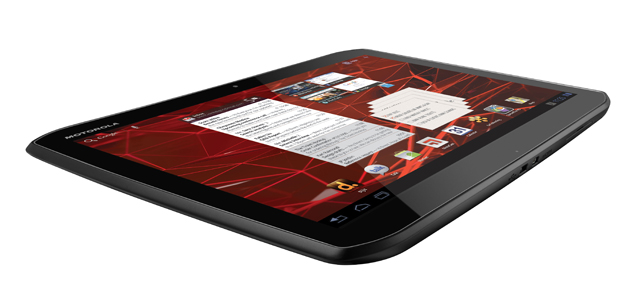
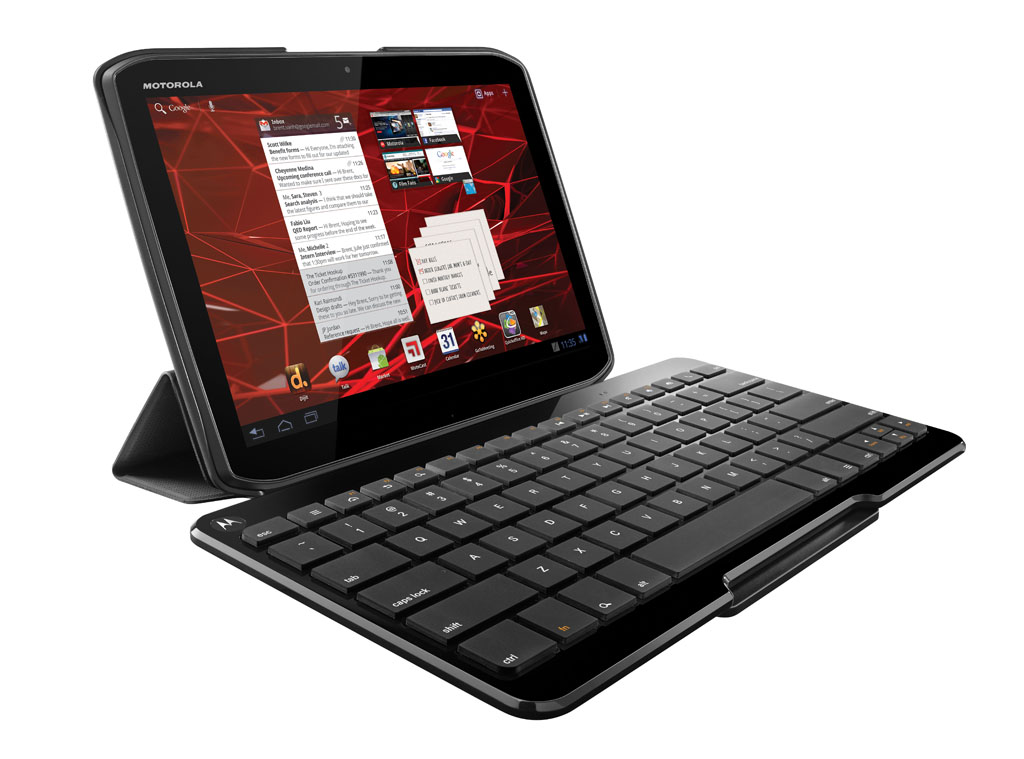
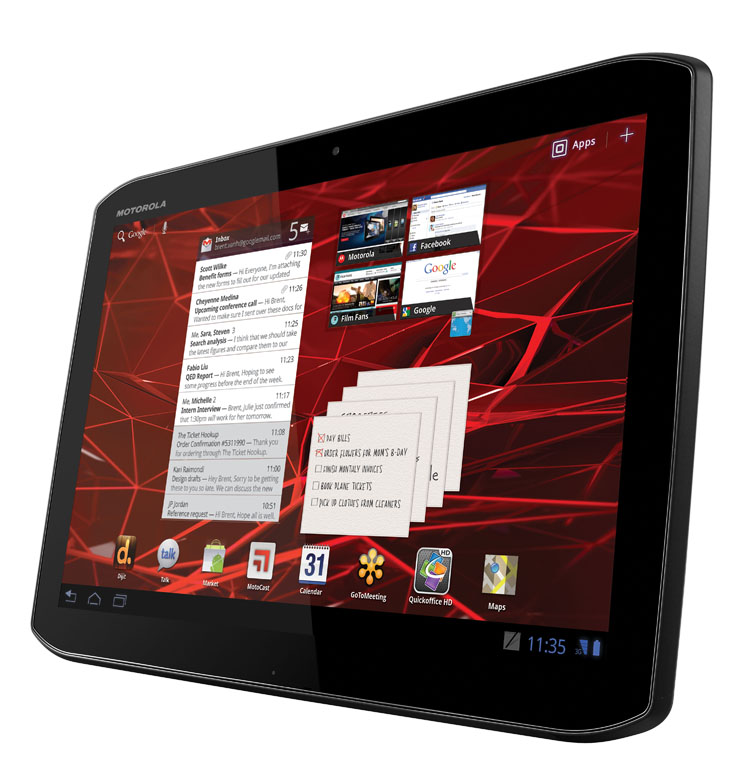
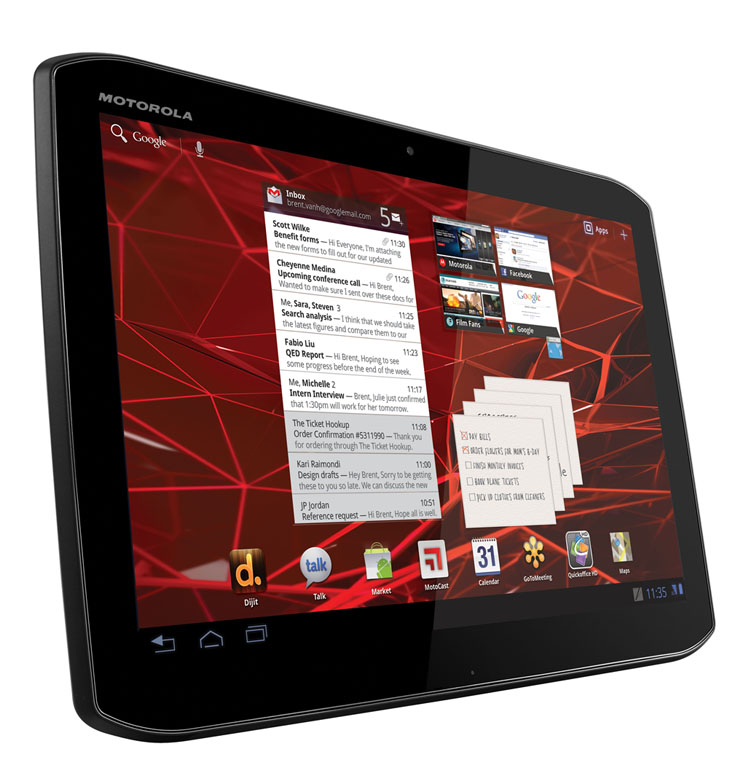
With the design at least, Motorola has proved itself a willing pupil. The Xoom 2 is slimmer, lighter, and better-looking than its forebear, with extra concessions towards durability like a splashguard coating and Corning Gorilla Glass screen. Its shape hints at an octagon due to the angular corners, and the tapered edges combined with a rubberised frame around the rear result in a tablet that’s pleasant to hold for extended periods.
Motorola has also ditched the proprietary charging pin from the first Xoom – a move that’s sure to both frustrate and delight users. It’s frustrating for owners of the original Xoom that bought into its accessory ecosystem, as any accessory that plugged into the bottom (such as car docks, charging docks and powered speaker docks) won’t be compatible with the Xoom 2. Ultimately, we still think it’s a good move, as it’s been replaced with a standard micro-USB port for both charging and syncing, which makes one less cable to carry around (assuming you have other devices that use micro-USB).
The Xoom 2 is fairly standard when it comes to the rest of its ports and slots. Joining the micro-USB port at the bottom is a micro-HDMI port and a covered flap that houses a microSD slot and micro-SIM slot behind it. The pointy edges have left no room for Motorola to stick the power button and volume rocker, so both are rather awkwardly positioned on the Xoom 2’s back on the top right-hand side. Worse, the highly-trafficked on/sleep button has poor tactile feedback, making it difficult to press. The top is home to the headphone jack and IR blaster (more on that below), and around the back is the five-megapixel camera flanked by exposed speaker grills on either side.
Features
Sadly, there isn’t a whole lot to get excited about on the features front. The main innovation that sets it apart from the horde of other Android tablets is the aforementioned IR blaster, and this works with the preloaded Dijit Universal Remote app for controlling all of your home entertainment devices. This app improves on the one that comes with the Sony Tablet S (the only other tablet with a built-in IR blaster) as it lets you organise remote controls by room and setup activities that span multiple remote controls, and it also comes with device codes for the various FOXTEL boxes built-in (although the database is still heavily US-oriented – support for other local devices like the Telstra T-Box is lacking). That said, Dijit a free app, and you can just as easily download it to the Sony Tablet S. Using the Xoom 2 as a universal remote control is a fun gimmick, but the novelty quickly fades once you realise you need to use two hands to change the channel.
Motorola hasn’t been shy about loading up the Xoom 2 with extra software, and thankfully, most of these are quality inclusions. The MotoCast app, which we first saw on the RAZR, lets you stream photos, music, videos and documents from your computer, with an option to download those files directly to the Xoom 2 for offline viewing. There’s also Quickoffice HD (for read-only viewing of Office documents), SwiftKey Tablet (an alternative software keyboard), Twonky (a DLNA media server) and EA Need for Speed. Quite a few enterprise apps are bundled in as well, including Citrix Receiver, Citrix GoToMeeting, and Fuze Meeting HD.
The Xoom 2 seems to be the same tablet as the Xyboard 10.1 that Motorola is selling through Verizon Wireless in the United States, with a few key differences. The good news is that the front-facing camera on the Xoom 2 is a superior 1.2-megapixels and it has a microSD card slot where the Xyboard has none.
The bad news is that Xoom 2 lacks the 4G connectivity and bundled stylus of the Xyboard; instead, Aussie users are lumped with a run-of-the-mill 14.4Mbps Next G connection and permanent shortcuts in the taskbar to Evernote and Sticky Note – both of which would work wonderfully with a stylus, had one been included.
Compared to the original Xoom, the rest of the sequel’s hardware improvements are either incremental or non-existent. It uses a slightly faster 1.2GHz dual-core processor and the same 1GB of RAM, has the same 32GB of storage, and has the same 10.1″ screen size and 1280 x 800 display resolution, only with IPS technology that gives it better viewing angles and more vibrant colours.
Perhaps the biggest disappointment is that it doesn’t come with Ice Cream Sandwich; it’s running the same Android Honeycomb 3.2 platform that all of last year’s tablets came with. Motorola has confirmed that the Xoom 2 will be upgradeable to ICS, but it hasn’t committed to an exact timeline.
Performance
The slightly faster clock speed on the Xoom 2 hasn’t done much for speeding up Honeycomb. It feels much the same as the original Xoom for day-to-day use, which is to say that it’s generally fast enough for tasks like web browsing, email and social networking, but it’s nowhere near as responsive as the iPad 2. One annoying quirk was that it would re-draw parts of the page every time you scrolled up or down in the browser, resulting in a persistent flicker. Hopefully, the update to Ice Cream Sandwich will put a bit more pep into the Xoom 2’s step. Its Rightware Browsermark score of 78,972 places it behind other dual-core Android tablets like the Samsung Galaxy Tab 10.1 (88,970) and the Sony Tablet S (88,802).
The Xoom 2 performed very well for playing back multimedia – much better than any other tablet we’ve reviewed recently. The combination of a vibrant IPS display and powerful stereo speakers (so loud they make the rear casing vibrate at maximum volume) make it a great device for watching movies, all the more so because it’s so nice to hold in both hands. Getting your movies onto the Xoom 2 is another matter altogether. It doesn’t show up as a mass storage or MTP device in Windows, and Android File Transfer on a Mac doesn’t see it.
We were finally able to get it working on a Mac by installing the MotoCast USB software (the equivalent software for Windows only installs the MotoCast server software), but even then, it was limited to syncing music, photos, podcasts and videos, and transferring the latter caused it to transcode all of our videos that weren’t in the compatible MPEG4 format before passing them onto the Xoom 2.
Another point worth mentioning is that the micro-USB port appears to support USB keyboards and mice only – the USB flash drive we connected (using a third party adapter) was seen by the Xoom 2, but we weren’t able to actually see any of the stored files in any apps. It also had a nasty habit of corrupting the memory card on our digital camera every time we connected it, which then required us to re-format the card on the camera to use it again. Luckily, all of our photos were already backed up to the computer, but we can see some users getting pretty cranky about this bug if it isn’t ironed out on shipping units.
Motorola claims the Xoom 2 is good for up to 10 hours of continuous video playback, which places it favourably against other long-life tablets like the Apple iPad 2 (10 hours), the Samsung Galaxy Tab 10.1 (11.9 hours) and the Sony Tablet S (8.5 hours). We weren’t able to do our usual battery run-down test using Dice Player, as it doesn’t seem to work properly on the Xoom 2, but we’ll update this review with battery life estimates once we find a working video player.
Conclusion
One of the great things about being in our line of work is that we get to see a steady stream of awesome devices on a fairly regular basis, but the flip-side to that is that we also tend to get a bit dismissive of any gadget that doesn’t immediately blow us away. The Xoom 2 definitely belongs in that latter camp of devices, but that doesn’t necessarily make it a bad tablet. It’s got a likable (if not necessarily sexy) hardware design, a bright screen, powerful speakers and decent performance, although we’re concerned about the limited file transfer and USB connectivity options.
Thankfully, Motorola hasn’t made the same mistake that it did with the first Xoom of pricing it the same as the iPad 2. At $720 outright, it’s $119 cheaper than the equivalent iPad 2 (32GB 3G+Wi-Fi), which at the very least makes it an attractive tablet for those that don’t want to pay the Apple tax. Then again, the Xoom 2 really doesn’t bring anything new to the table. It’s essentially last year’s technologies repackaged into a slimmer body, and for that reason, we think even $720 is too much to pay for it.
With quad-core processors, 4G connectivity and Ice Cream Sandwich very much a reality for Android mobile devices this year, we’re really not sure that the Xoom 2 holds much appeal for the premium end of the market – especially not with the Apple iPad 3 expect to drop in a couple of weeks. Once that’s released, price drops for the remaining stock of iPad 2s will make it at least as cheap as the Xoom 2, and there’s really no competition between the two second-gen tablets.
Jenneth Orantia turned her back on a lucrative career in law to pursue her unhealthy obsession with consumer technology. She’s known for having at least half a dozen of the latest gadgets on her person at a time, and once won a bottle of Dom Perignon for typing 78WPM on a Pocket PC with a stylus.
Image credit: Motorola
Please stop this half-assed reviews!
Two main things in tablet reviews; How do you find the performance compare to other tabs beside from Browsermark? Diceplayer? Can you review the battery performance with other simple experiments?
The problem with the $720 pricing is with Telstra! It is around (more likely even less now) $600 in US and UK, albeit their model may have no microSD card slot.
Wake up Steve, the price disparity is across the whole tech market, not just Motorola or Telstra. Despite the dollar we are still getting charged quite a bit more than many overseas markets.
Doooh!
Who says only Motorola and Telstra?
The problem with winning bottles of Dom Perignon is that you’re obviously a good drinker, but probably a questionable reviewer. Oh well.
Just picked up one of these which was at $600 outright although I did grab it on a plan. Don’t know what an iPad is going for nowadays and tbh, don’t really care. I refuse to own an Apple product. I love my RAZR HD Maxx and bought this to accompany it and instead of buying a new laptop tbh.
Also agree on the price disparity, it is across the board. I bought a laptop in the US 3 yrs ago for AUD$600 (US$480). Same laptop here was going to cost me AUD$1180. I will note though, while in the US over Christmas, the RAZR was selling outright at just under US$800, on par with the pricing here before I left.
Comments are closed.