

blog Over at AUTechHeads, our good friend and systems administrator Alan Lee muses about the choices faced by IT admins when a warranty expires on a server. The choices are agonising — and so often, about how much money your business can afford to spend rather than ‘doing the right thing’ with respect to technology roadmaps. Writes Alan:
“So you have a bunch of servers, one doing Exchange, a few doing websites, another doing some super-secret ninja stuff and one hundred desktop computers. They are all working perfectly – today. The only issue is you are just about to pass the three year mark of which your warranty will expire on the servers. What do you do? Do you replace the servers? Do you renew the warranty for another year or two? Or just let it keep going in its current form? Or are you about to leave the company and don’t care (the next guys problem™)?”
Personally, in 2011, for a business this size, I would get rid of as many on-premise servers as possible. Shift as much to cloud computing as you can … email, your intranet, the company web site and so on. Internally networked company file storage can also be backed up off-site in a cloud and so on. The difficult choices Alan writes about here are precisely the reason why cloud computing is becoming pervasive. Let someone else handle most of the drudge work, so you can focus on higher order business outcomes.
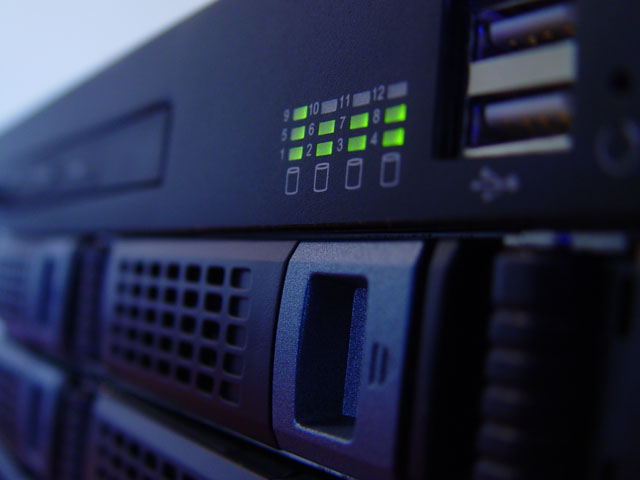
Image credit: Whrelf Siemens, royalty free
Cloud isn’t always the best option though – if you have 100 workstations all on the internal LAN, you don’t have to worry about both the security of pushing all the data off site and the huge amount of data to have to push back and forth to the cloud.
My 2c USD
Depends — what sort of data are you talking about being pushed?
Don’t think it matters. Bits are bits.
Unless they are required in real-time – (voice, video, medical telemetry) – as long as your pipe is big enough to carry it to you within reasonable expectation times, it shouldn’t matter.
Precisely.
Pipes cost money, especially big pipes, no?
Easy way to eliminate a massive pipe is to run it internally.
I still don’t fully trust “The Cloud” – not knowing what is on the other side can and should be scary to businesses
Unless your business is in one the lucky locations big pipes cost a lot more than servers.
Sure – but relative pipe costs should be tumbling soon.
*sips Kool-Aid*
I was waiting for that! :D
And what precisely do you mean here by “the cloud”?
Please define your ground so we can debate accurately.
I think we’re both on the same page as to what the cloud is –
For example moving your backup system to “the cloud” – you want to know both where your backup / private data is going and just as importantly, what hardware the provider actually has, reliability, stability, etc.
Cloud is a very loose term and needs careful consideration IHMO
See, I don’t think we’re on the same page at all, and this is precisely the problem Alan and others are discussing.
Are you, for example, talking about:
-Public cloud computing
-Software as a service
-Infrastructure as a service
-Storage as a service
-Private cloud computing
-Managed private cloud
-Advanced datacentre modernisation
-Advanced virtualisation
-Platform as a service
-Security as a service
Or what?
All of these things have very discrete differences between them. I’m aware of the difference between them. But I’m not sure that that many people are, right now. This is an educational thing. We almost need to stop using the term ‘cloud computing’.
isn’t the cloud definition: anything that doesn’t live in your own data-centre / server room?
and i agree with the comment that whilst pipes might be big in the big cities, plenty of big enterprises (>100 pc’s) in the regionals as well, where big pipes like that either don’t exist, or cost huge amounts of money.
“isn’t the cloud definition: anything that doesn’t live in your own data-centre / server room?”
No.
I like this basic definition from Wikipedia:
“Cloud computing is a model that enables easy and on-demand access to networks sharing configurable computing resources that can be swiftly provided and distributed with minimal administration effort or internet service provider interaction.”
Note, there are a few key words here. On-demand = extensible infrastructure. Sharing = multi-tenanted infrastructure. Minimal administration = auto- and instant-provisioning. ‘With minimal ISP interaction’ = abstracted from and working on top of the network layer.
See how it’s a little more complex than most people work out? Most people’s argument against cloud computing boils down to “I don’t own the server, and I don’t trust you, so I don’t like cloud computing”. It’s so neanderthal.
then by that definition, my file server on my internal network is a ‘cloud-computing’ piece of infrastructure.
don’t get me wrong, i’m not against cloud-computing, but i don’t consider myself neanderthal because i don’t altogether trust cloud-computing. i understand the many benefits but once again, to regional organisations without the necessary pipes and providers, uptake is going to be slow and this type of thinking will prevail for a while yet.
Hmmmmm, sorta.
The definition of cloud has expanded to include those things, but the true definition of cloud – (in my mind) – is being able to say, I need a bunch of processor cycles to do some processing for X amount time – (lets say a week) – and you pay for that week, and that week only.
Let’s say you get charged $200 for the honour.
If you are testing a new piece of software, and don’t want to go to the trouble of provisioning up a spare server – (which might cost you more than $200 of employee time to do) – and then take the time to do your testing, it’s cheaper to ring up a cloud provider and say: “give me 1Ghz of processor, 4GB of RAM for a week running Windows 2008 Server, with 200GB of disk space” – and they just provision that for you off a pre-prepared image.
You could have it in minutes, and when your finished with it, it’s gone.
That’s cloud.
agreed.
by it’s very name, cloud is anything (hardware, software, networking, etc) that doesn’t exist in the confines of your own business space.
Are you nuts?
Three reasons – total cost, security, and SECURITY!
Cloud computing (which is essentially the same as mainframes 40 years ago) is a big con to extract money out of businesses for a service that gives less performance and probably costs more.
The biggest issue though is that you are handing another company all your electronic data.
And what happens when the network goes down?
Any intelligent admin will consider TOC when considering a cloud based solution.
And as for security, you pay a company a lot of money to keep your data secure, as do hundreds of other clients. They have a vested interest in ensuring your data is secure, I’d say more of vested interest than the sysadmin does because all of their servcers are public facing.
Are you aware of how many shortcuts are taken by sys admins simply because there servers are private facing? It is not uncommon that the moment you get access to a companies internal LAN you can wonder around unhindered within their LAN with very little trying to stop you.
It scares me how many supposed IT systems administrator consider NAT to be a security feature.
From a purely selfish perspective, is it risky for a sysadmin to tell their boss to chuck their blades and emc onto ebay and put all of their processing and data into a cloud?
If everything is in the cloud and someone else is maintaining it and building capacity for the future, why am I paying you X number of dollars per year?
This is obviously a gross simplification, but if the cloud giveth, could the cloud taketh away?
Comments are closed.