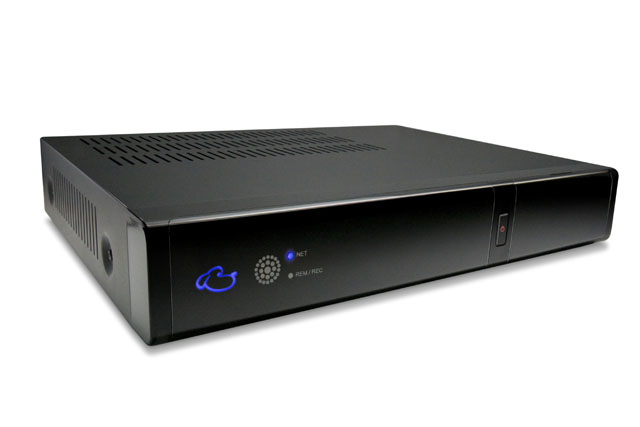
review When the FetchTV Internet television (IPTV) platform first launched in Australia in mid-2010, it did so with a great deal of optimism and enthusiasm, but also with a great many flaws.
The service represented something which had been the holy grail of Australia’s broadband industry for many years: A way to move away from simply providing telecommunications transit services and towards completing the so-called ‘triple play’ bundle of broadband, telephony and entertainment that would, it is still believed, ensure the ongoing profitability of broadband providers faced with a market where high profit margins are increasingly hard to find.
For consumers, the platform also represented a tantalising opportunity. For years, the global entertainment industry has locked Australia out of its stark desire to be able to access whatever film and TV content it wanted, when it wanted, in the comfort of its own home. It has been clear for many years that the corner video store has been dying, but what is less clear is what is going to replace it. For many Australians, that replacement has consisted of illegal downloads via platform like BitTorrent.
FetchTV, it was believed, might represent a legal way forward: A unified platform which would pipe film and TV into the home in a more flexible manner than the timetable driven pay TV operators, and in a way which would allow Australia to finally divest itself of its long-held habit of online copyright infringement. By bundling TV recording abilities and programming information with a digital set-top box with several tuners and the ability to stream IPTV from ISPs and play movies on demand, it was thought that FetchTV might be about to hit a home entertainment home run.
Sadly, when FetchTV was first released into the wild in mid-2010, it fell short of those expectations. A clunky user interface, limited content selection, odious network restrictions and expensive pricing meant that most customers switched off, despite the obvious strengths of the wholly integrated set-top box and its back-end ISP functionality.
However, over the past 18 months a great deal has changed. FetchTV is now available through a number of different providers, it’s had a user interface overhaul, its content library has been boosted substantially and price cuts have made the service more attractive. With this in mind, and at the urging of ISPs keen to see us re-evaluate the platform, Delimiter took a second look at FetchTV in December 2011. Is the platform worth your money? Read on to find out.
What’s changed
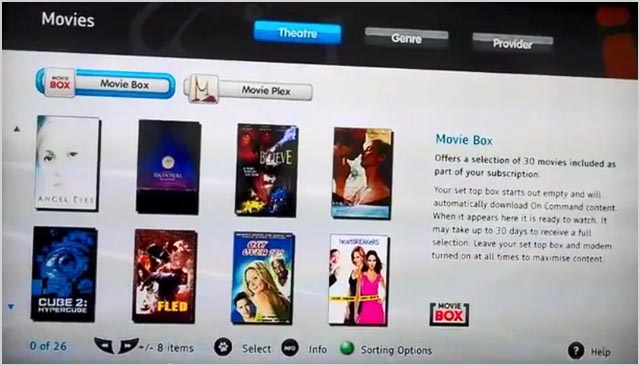
The most obvious thing which has changed in the FetchTV service (we reviewed a model provided by iiNet, which we thank them very kindly for — and yes, we gave it back) over the past 18 months is the user interface. You can see the old FetchTV interface here:
And the new one (the Optus version) here:
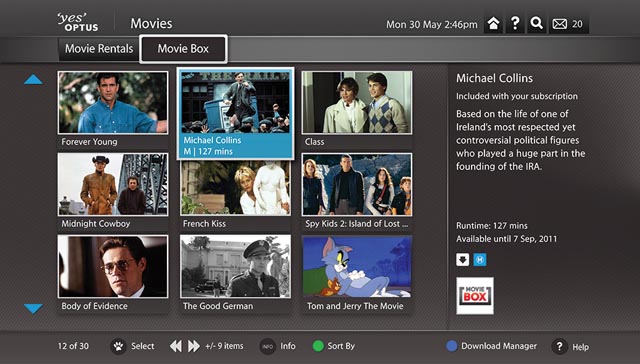
When this writer first received a demo of FetchTV in 2010, the interface appeared rudimentary. It worked and was more than usuable, but the interface felt clunky at best, and like a warmed over Linux X-windows GUI dating back to the early years of this decade at worst. Most of the functionality which you need in a box which is aimed at becoming your main interface with your television was there, but you wouldn’t enjoy using it. And FetchTV’s clunkiness was especially glaring, given the slick user interface enjoyed by Telstra’s comparable T-Box unit, which was being demo’d around the same time.
The new FetchTV interface still isn’t as slick as that on the T-Box, and it still suffers from odd pauses and inconsistencies here and there which give the impression that the hardware it uses is non-too powerful. But it’s nothing to be ashamed of, and broadly it fits in with other the other consumer electronics devices you expect to see around a TV. The interface is darker now, rather than lighter, and every screen is alive with movement and content to consume. Setting the device to carry out its PVR functions is pretty easy and obvious, as is browsing different channels and finding new IPTV and streaming movies content.
Then there’s the increased breadth of content.
In mid-2010 the FetchTV larder was looking a little threadbare. Although the company had at that stage signed agreements with a number of major movie studios (such as Disney, Warner, Village Roadshow and so on), as well as streaming news and feature channels such as BBC World News, CNBC, National Geographic, Discovery Science, MTV and more, at times it felt as though the platform was more at an introductory phase.
Since that time, FetchTV has been continually adding content to its service. You can now watch YouTube on the service, the Travel Channel launched in September 2011, European soccer channels arrived in February that same year, movie studio Icon has joined its ranks, and a bunch of international language channels have also signed on board. We’re betting this isn’t the half of it, either – we’ve seen a constant rolling stream of additions to FetchTV as the past 18 months have rolled on (check out its media release page here for some more specific details), each one delivering customers increased value, usually at no extra cost.
The cupboard is no longer threadbare – but is there enough content? More on this later.
FetchTV pricing has also changed dramatically over the past year. When the service first launched, initially only through iiNet, users were paying $29.95 per month to rent the required set-top box and receive the full suite of services, along with a $149.95 setup fee, for a total spend of $868.75 over 24 months. Buying the set-top box outright was to cost $499, plus a monthly access fee of $19.95 over 24 months, for a total cost of $977.80 over 24 months.
However, in December last year iiNet chopped the price on its FetchTV plans by up to third, bringing the $29.95 price down to $20 and the starter package without the full set of features down to $10 a month (from $14.95 a month). Those price cuts came after iiNet stablemate Internode had cut its FetchTV prices the month before, by about the same amount. And, in what could be seen as a related competitive move, the month before that, in October, Optus launched its FetchTV packages for the starting price of $9.95 a month — a charge which will be waived when customers are using its $109 Fusion home broadband and telephone bundle.
When FetchTV launched, this writer held the belief that the package was too expensive. But with the recent price cuts, the service has come within the grasp of many more Australians. It’s just that much more tempting at a $10 or $20 price point per month, compared to $30, which is what many people pay for their entire broadband package each month.
It’s also important to highlight the fact that more ISPs now offer FetchTV — the three above, plus South Australian company Adam Internet. The fact that two of Australia’s major ISPs, iiNet and Optus, have standardised on the FetchTV package means the IPTV provider is that much more able to push TV studios and other content providers to give it good deals and make their content available for online delivery. FetchTV now has an IPTV mandate of sorts in the Australian marketplace — and that mandate will become overwhelming if the last major ISP left, TPG, eventually signs up to market the package as well.
That mandate also has another impact on consumers — platform stability. iiNet, Internode, Adam and Optus broadband customers know that if they switch ISPs within those four providers, they won’t need to switch IPTV boxes at the same time. Because the same FetchTV box is being used by all of the ISPs, customers can switch between the different ISPs at will and maintain their FetchTV hardware. Or, at least that’s what we’re assuming, as we haven’t seen a lot of talk about this option.
One other aspect of FetchTV’s service needs to be mentioned as it has also improved over the past year: Bundled apps.
Users of pay TV services such as FOXTEL have long been able to access programming information and remotely record TV programs through mobile phone apps. And now, through what appears to have been a development partnership with Optus, FetchTV offers that capability as well. Users now can use their iPhone or iPad (and soon, Android) devices to control their home FetchTV box. This was functionality which wasn’t available when FetchTV first launched, and we reckon it’s brilliant.
What’s still a problem
During our review of the FetchTV service, we came across two major problems with the service which really drag it down. These two problems need to be fixed if FetchTV is going to get to the level of mainstream acceptance which we believe it has the potential of reaching.
The first one is the difficulty of setting up the service. If you’re looking to set up FetchTV in your home, be aware that the process is very far from being a painless one.
For starters, due to the heavy load which FetchTV places on your aging ADSL copper line broadband connection, the ISPs which support it are generally requiring that you use specific router hardware, and have your broadband connection configured in a certain way, for the set-top box to function beyond its basic in-built PVR functionality.
What this meant, when we were conducting a review of iiNet’s FetchTV service, was that we had to swap out our top of the line Fritz!Box router (we actually have the 7390 model, but it’s similar to the one in this review), and replace it with iiNet’s BoB Lite router, simply for the purpose of getting FetchTV working. To say this was annoying was an understatement. In no way does the BoB Lite measure up to the features and performance offered by the Fritz!Box, a router which costs several hundred dollars more to buy. And yet, iiNet requires that a BoB Lite be installed before its FetchTV service will work.
When we did install the BoB Lite, it took around a week for iiNet to successfully walk us through configuring the FetchTV service on both their end and our end to get it to work. During this period, our broadband connection was up and down for half a day at a time, and we had to go through several calls to iiNet’s tech support team of half an hour or so each.
The principal problem in setting up our FetchTV service was that iiNet needed to configure our ADSL connection with a specific FetchTV profile on their end. Unfortunately, iiNet’s normal customer service team couldn’t quite manage this (although they believed they could at several points), and so had to call in experts from a dedicated internal FetchTV support team to get the connection working.
Part of the problem appears to be the fact that when the FetchTV profile is acting on your ADSL line, your ADSL router doesn’t authenticate you to iiNet’s servers — the FetchTV set-top box does. We have no idea why this setup exists, although we’re sure there is a reason. But in a practical sense it meant a week of patch broadband when we were getting FetchTV set up. And on the other end, when we were getting FetchTV disconnected and going back to normal broadband, we also suffered a series of network problems and had to once again get in touch with iiNet’s dedicated FetchTV support team. Not happy, Jan.
The other problems which we found with the FetchTV platform relate to content.
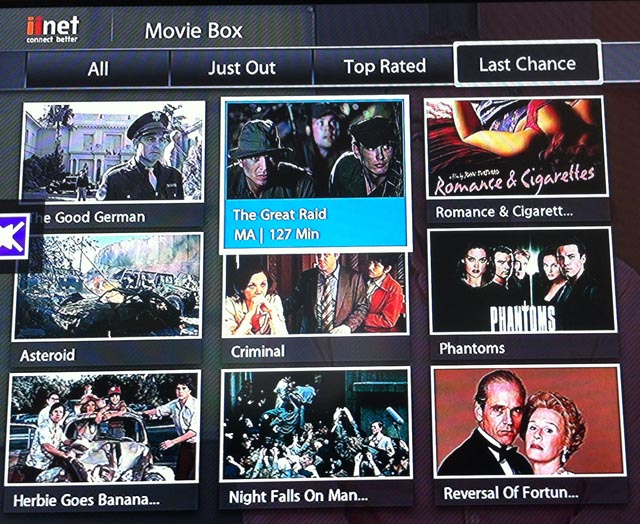
One of the value propositions of the FetchTV service is that you get quite a few free movies auto-downloaded to your set-top box every week for free. However, almost universally, when my wife and I were looking to find some content to watch on FetchTV, we had never heard of the movies which were delivered for free, and when we did watch them, they turned out to be quite B-Grade. For example, these are the free movies which were listed as “Just Out” five days before Christmas last year. When at university, I helped run my university’s film society and watched hundreds of the classics and great modern films and discussed many more. But I’ve never heard of any of these films.
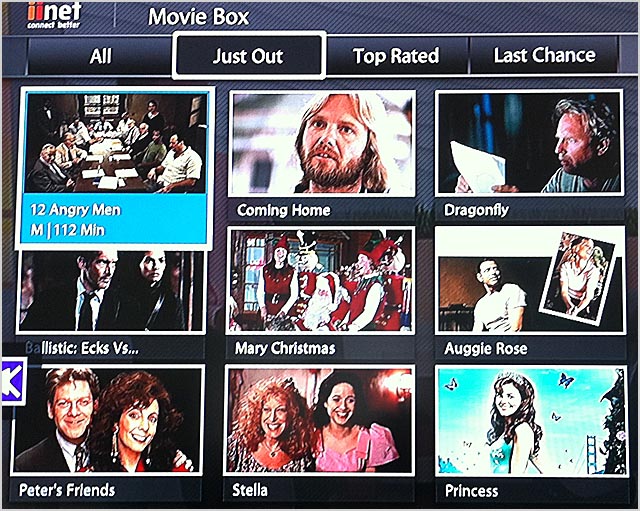
How about this list? These are the films which were about to cycle out of the free Movie Box system that day. Nope? Me either.
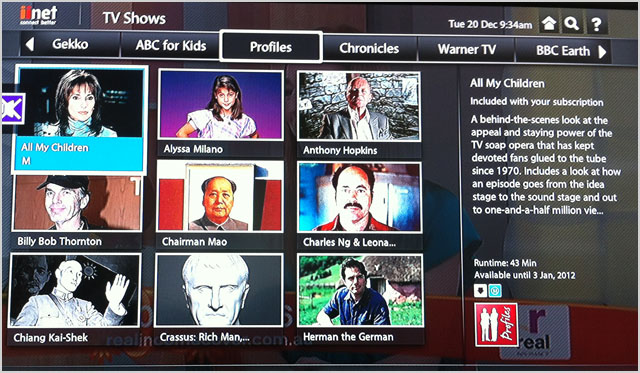
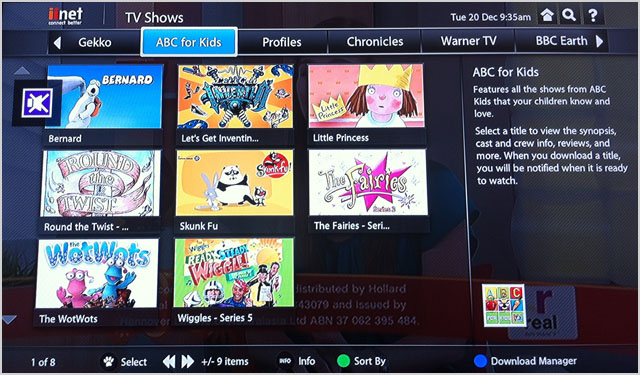
This issue can be witnessed throughout the FetchTV platform. We had never heard of most of the free TV shows on offer, and many of the IPTV streaming channels offered content which we had never heard of and had no interest in watching.
The one bright spot was the Movie Rentals section, where you can pay sums up to $5.95 to rent a movie and watch it over the next day or so. In this section, we found a wide range of great classic and modern films, which we’d heard of and loved. Mary Poppins, All the President’s Men, the Toy Story series, Jack Nicholson in Chinatown — there’s a wealth of content here.
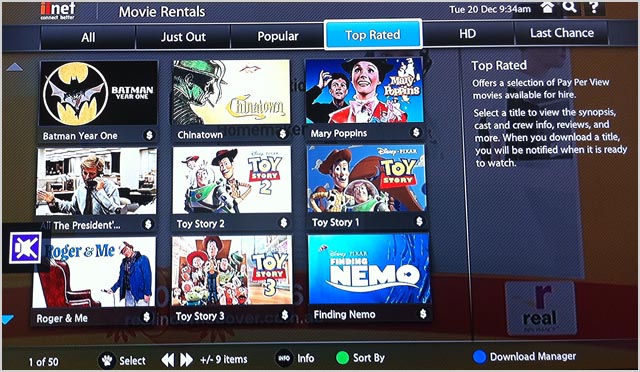
But the problem is … when you’re already paying $20 or so a month for an IPTV platform, do you want to pay another $6 every weekend to watch another movie, when you could just rent it from your local video store? The cost all starts to add up when you start looking at it like this, and starts to be hard to justify. This is especially the case when you consider that you can rent many of these popular movies in Blu-ray format, while the FetchTV streaming platform offers quality probably slightly less clear than a DVD.
All in all, when I discussed FetchTV with my wife (we both made a point of using it over a review period of several weeks), the issue we had with the service was that we could rarely find anything we wanted to watch on it, and when we did, you usually had to pay extra to watch it. Some of this is understandable, because I’m a geek and like specialised content, but my wife is a more mainstream viewer and regularly watches mainstream TV. However, not much on the FetchTV service attracted her.
There are other minor problems with FetchTV. In general the set-top box is sluggish to respond to the remote control and is extremely slow to switch on, its improved user interface is still relatively clunky, the streaming quality is not fantastic (around on par with a standard DVD for the average viewer, but more technical users who have encoded their own video content will notice artefacts of video compression), some of the IPTV channels have bugs and occasionally don’t work, and the remote control itself has a thousand buttons on it, of which only a handful are ever used.
But we could have gotten past these, and the setup issues with iiNet, if the available range of content had been great. However, unfortunately, it’s not. It is mediocre at best, and when it is good, it is pricey. This availability of content remains FetchTV’s key issue, and until it is resolved, the service is likely to continue to suffer relatively low levels of adoption.
Conclusion
Alongside Quickflix’s fledgling IPTV service, Telstra’s rival T-Box platform and hybrid streaming services available through Microsoft’s Xbox 360 and Sony’s PlayStation 3, FetchTV remains one of the only decent options open to Australians for getting legal video on demand and IPTV content into your home and onto their television screens. Out of that batch, FetchTV is likely close to being the front-runner platform, due to the breadth of content it has available and the integrated nature of its set-top box, as well as its broad ISP support.
However, the service is far from mature. On a technical basis it still has a number of medium-level bugs, which are not show-stoppers but are annoying. And it’s biggest issue remains the availability of content through the platform. Put simply, when browsing the service, many people will find it hard to find any content they actually want to watch, rather that simply tolerating if they are really bored. There is some great content available — but you’ll usually pay more for it when you find it.
FetchTV is continually improving its service, and we think that in several years it may become a powerful and complete system. But it’s not there yet.
Image credits: FetchTV and Delimiter